

Coupert Review 2025: Does This Coupon & Cashback Extension Really Save You Money?

Credit: Hisense / Samsung; Thecouponcity.com composite
Deal / Cashback pricing and availability subject to change after time of publication. Learn more about how we select deals.
Looking for an easy way to save money every time you shop online? Coupert is one of the best free shopping assistants available today. It automatically finds coupons, applies discount codes, gives cashback, and helps you grab the best deals from thousands of stores like Amazon, Walmart, Target, AliExpress, Shein, Best Buy, and more.
In this guide, we’ll break down how Coupert works, its features, step-by-step usage tutorial, benefits, and smart tips to maximize your savings.
Coupert is a free browser extension and online shopping assistant.
It helps you:
Find the best coupons and promo codes
Automatically apply discounts during checkout
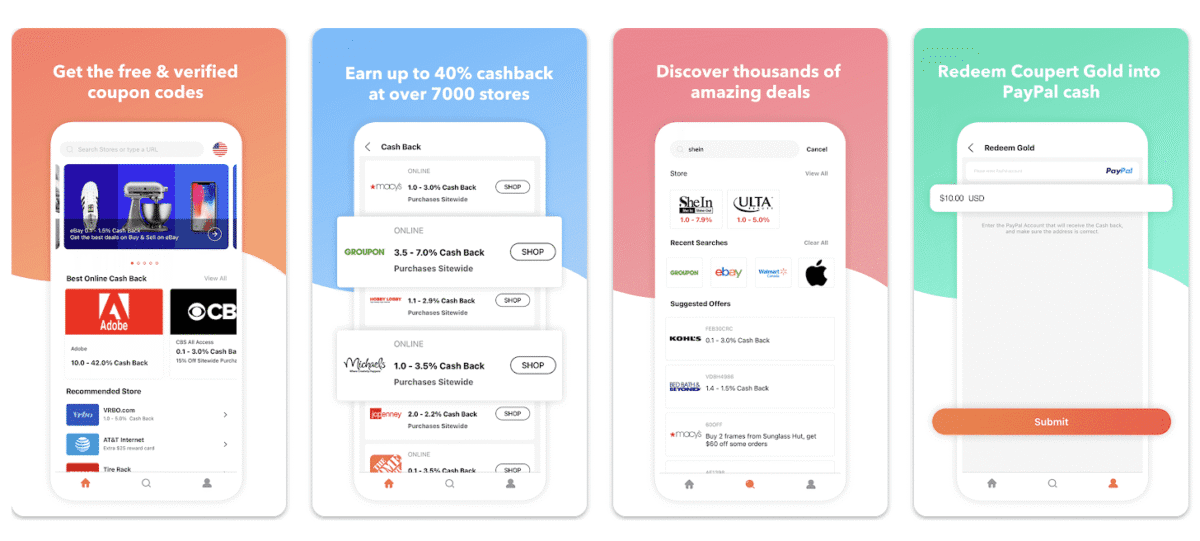
Earn cashback on thousands of stores
Get notifications for new deals and offers
Coupert supports thousands of eCommerce websites worldwide and works quietly in the background while you shop.
Coupert becomes active whenever you visit a supported store.
Here’s what it does automatically:
It scans its huge coupon database for working promo codes.
At checkout, Coupert tries all available codes and applies the one that gives the highest savings.
If the store supports cashback, you’ll see a cashback notification. Activate it with one click.
You’ll get notifications about fresh coupons, sales, or cash rewards.
Coupert has a massive, regularly updated database of promo codes for thousands of stores.
Earn real money back on eligible purchases, which you can withdraw later.
No need to manually search for coupons—Coupert applies them for you automatically.
Get alerts about limited-time deals, price drops, new coupons, and cashback offers.
Available on Chrome, Firefox, Edge, and Safari.
Coupert searches thousands of coupon codes and applies the best one to your order.
Save even more by earning cashback from partner stores.
No more wasting time searching “working coupon codes” on Google.
You don’t pay anything — Coupert earns from affiliate partnerships.
Just install, sign in, and shop normally. The extension handles everything.
Go to the Coupert website and click Sign Up.
Enter your email and set up a password.
Install the Coupert extension for:
Chrome
Firefox
Safari
Microsoft Edge
Once installed, sign in to activate it.
You can:
Search for coupons for specific products
Browse store categories
Check Coupert’s deals page
When you’re ready to checkout:
Coupert automatically scans for discounts
Click Apply to activate the best coupon
Checkout as usual and enjoy your savings
Get instant notifications about new deals, coupons, and cashback offers.
The extension ensures you never miss opportunities to save.
Sometimes different sellers have better prices — always double-check.
Even small cashback amounts add up over time.


